
The Slotlounge casino login is the gateway to everything held behind an account: the AUD balance, the full game lobby, the live dealer tables, the four-stage bonus package and weekly reloads, the CP/RCP points ladder, the VIP Club and the cashier. Until an account is signed in, the promotional banners show only their headline terms and the balance, points and personalised offers stay inaccessible.
Signing in works the same way across desktop, mobile browser and the Slot lounge app, because all three share one account. The same email and password - or the Google fast-track option - open the account on a laptop, a phone browser or the installed app, and an active session carries the same balance across them.
This guide covers the sign-in steps, the Google fast-track route, password recovery, secure login habits, the errors that most often block access, and where verification fits in.
| Login essentials | Details |
|---|---|
| Where to log in | Log In button, top-right of the site |
| Login methods | Email and password, or Google fast-track |
| Password field | Case-sensitive, with a visibility toggle |
| Password reset | Via the registered email address |
| Device support | Desktop, mobile browser and the Slotlounge app |
| Account currency | AUD for Australian accounts, set at registration |
| Minimum age | 18+ |
| Verification | Requested separately, normally before a first withdrawal |
| Support | Chat widget, 24/7, on every page |
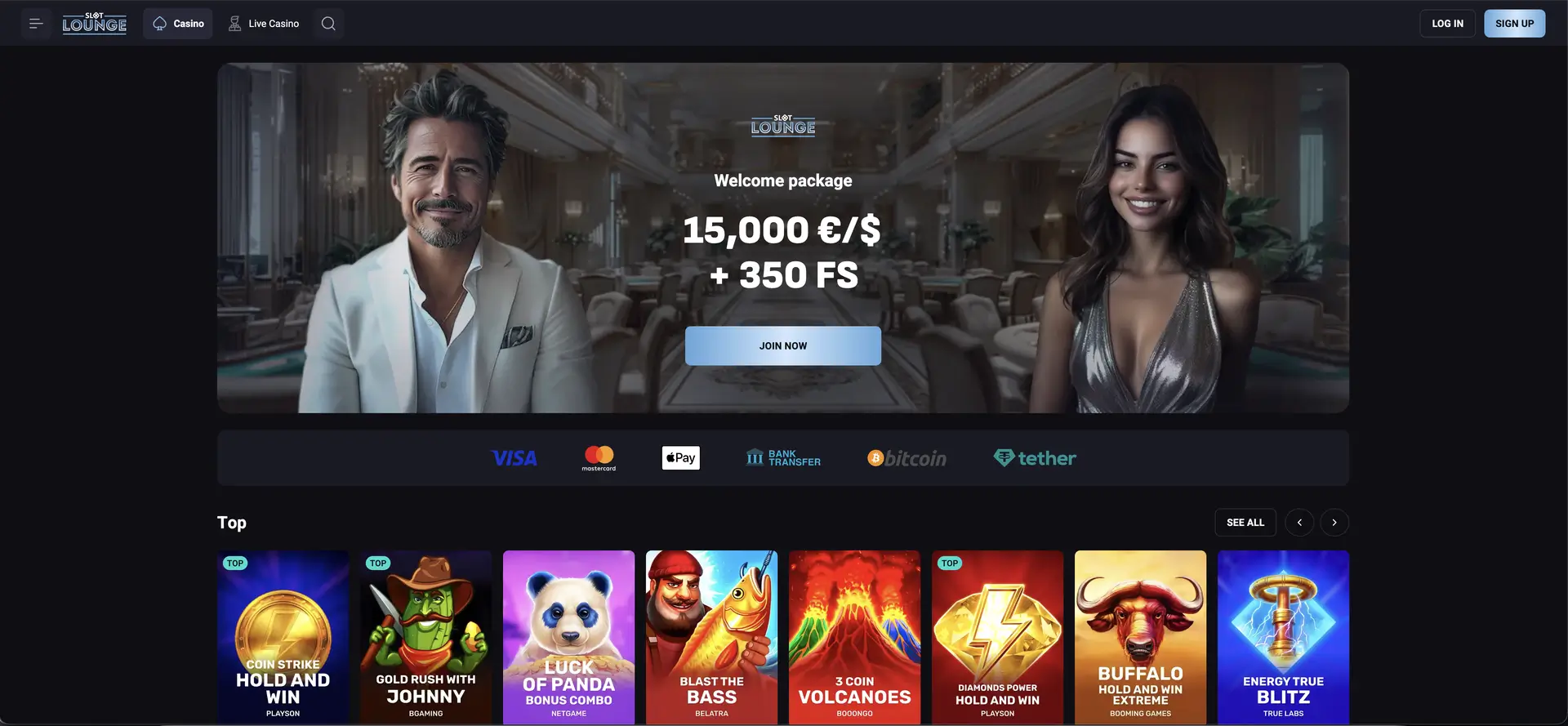
How to log in to Slotlounge casino
The Log In control sits in the top-right corner of the site, next to Sign Up, and is visible on both the casino and live casino sections.
Step-by-step login
- Open the Slotlounge site in your browser or the app.
- Select Log In in the top-right corner.
- Enter the email address used at registration, or choose the Google option if you signed up with it.
- Type your password. The field is case-sensitive - use the eye icon to check the entry before submitting.
- Submit the form and allow the page to load without refreshing.
- Confirm you are signed in: the balance and account controls replace the Log In and Sign Up prompts.
Google fast-track login
If the account was created using Sign up with Google, signing in is a single tap on the Google option rather than an email-and-password entry. This routes authentication through your Google account, so there is no separate Slotlounge password to remember - but it also means the security of the Google account directly protects the casino account. A strong password and two-factor authentication on the Google account are worth having in place for that reason.
Creating an account if you do not have one
A login attempt with an unregistered email will fail regardless of the password. New players start with the sign-up form instead.
Quick registration flow
- Select Sign Up in the top-right corner.
- Use Sign up with Google for the fast-track route, or fill in the form.
- Enter an email and password, add a mobile number with the +61 code, set the country to Australia and confirm AUD as the currency.
- Tick the 18+ and terms box, then select Sign Up.
The currency chosen here governs the cashier limits later and is not normally changeable, so confirm AUD before submitting.
Secure login practices
- Use a password unique to this account. Reused credentials are the most common route to a compromised gambling account.
- Protect the linked email or Google account. Password recovery - and, for Google sign-ups, the login itself - runs through it.
- Keep contact details current. Recovery and confirmation messages go to the registered email and mobile number.
- Avoid public or shared devices. If unavoidable, use private browsing and sign out fully rather than closing the tab.
- Do not save the password in a shared browser profile.
- Complete verification. A verified account is harder for a third party to withdraw from.
- Ignore any message asking for your password. Support will never request it.
Password recovery
A forgotten password does not require a new account. Recovery runs through the registered email address.
Reset steps
- Open the login form and select the password recovery link.
- Enter the exact email address registered to the account.
- Submit the request and open your inbox - check spam and promotions folders if nothing arrives within a few minutes.
- Follow the link and set a new password you have not used elsewhere.
- Return to the login form and sign in.
Reset links usually carry a time limit; request a fresh one if it has expired. Note that accounts created via Google do not have a separate Slotlounge password to reset - for those, access is recovered through the Google account itself.
Mobile and app login
The mobile browser uses the same login form and credentials as desktop; the top navigation collapses into a menu, so the Log In control may sit behind the menu icon. The Slotlounge app uses the same account too - signing into the app is identical, and the same balance and bonuses appear.
Tips for mobile access
- Use the eye icon to check the password - predictive keyboards are the most common cause of failed mobile logins.
- Watch for an automatic capital on the first character; the password field is case-sensitive.
- Install the app or add the site to your home screen for one-tap access.
- Let the page finish loading before submitting on a weak connection.
Troubleshooting common login errors
Incorrect credentials
- Reveal the password with the eye icon and read it character by character.
- Check Caps Lock is off and no trailing space was pasted from a password manager.
- Confirm the email is the exact one used at registration.
- If you signed up with Google, use the Google option rather than an email and password.
- After several failures, use password recovery rather than continuing to guess.
Browser or cache issues
- Clear cache and cookies, then reload.
- Disable script- or cookie-blocking extensions, which frequently break login forms.
- Try a different browser, and update it if it is several versions behind.
- Confirm cookies are enabled, since the session depends on them.
Connection and session drops
A session ending mid-play is usually connectivity rather than an account fault - switching between mobile data and Wi-Fi can end a session, as can extended inactivity. Reopening and signing in again restores the account, and settled bets and spins remain recorded.
Account blocked or restricted
An account can be restricted for repeated failed logins, an incomplete verification request, a self-imposed limit or a compliance check. The login form will not say which. The chat widget is the route to a resolution, with the registered email to hand. A self-exclusion period cannot be lifted early on request.
What you access after login
- Account balance in AUD
- Cashier - deposits and withdrawals with AUD limits, including card payouts
- Full lobby - Slots, Live Casino, Bonus Buy, Instant Win, Jackpot, Hold & Win, Megaways, Table Games
- Live tables - roulette, blackjack, baccarat, poker and game shows
- Bonuses - the welcome package, weekly reloads, Lucky Box, Lucky Spin and code entry
- Tournaments - entry with live leaderboard positions
- Loyalty - CP and RCP counters, level progress and the Bonus Shop
- VIP Club - status, perks and personal manager contact
- Account settings - personal details and responsible-play limits
Account verification (KYC)
Verification is separate from login and does not block play. It is normally requested before a first withdrawal, and the standard document set covers:
- Proof of identity - a valid government-issued photo document, fully legible
- Proof of address - a utility bill or bank statement, usually within the last three months
- Proof of payment method - where a card or e-wallet was used, confirmation it belongs to the account holder
Details must match the registration information. Submitting documents early means the check runs alongside play rather than delaying a payout, which matters here because card withdrawals - while available - still run on banking days.
FAQ
How do I log in to Slotlounge casino?
Select Log In in the top-right corner, then enter your registered email and password, or use the Google fast-track option if you signed up with it. The balance appears once the session is active.
I signed up with Google - how do I log in?
Use the Google option on the login form rather than an email and password. Authentication runs through your Google account, so there is no separate Slotlounge password.
I forgot my password - what do I do?
Use the recovery link on the login form and enter your registered email. A reset message is sent to that inbox; check spam if it does not arrive. Reset links expire, so request a fresh one if needed. Google sign-ups recover access through the Google account instead.
Why does my login keep failing?
Usually a case-sensitive password, an email typo, a script-blocking extension, or using email-and-password when the account was created with Google. Check the password with the eye icon, clear cache, disable extensions and try another browser.
Can I log in through the Slotlounge app?
Yes. The app uses the same account and credentials as the browser, with the same balance and bonuses.
Do I need to verify my account to log in?
No. Verification is separate and normally requested before a first withdrawal. Submitting documents early avoids delaying a payout.
What if my account is blocked?
Contact support via the chat widget with your registered email. Blocks arise from failed logins, pending verification or a self-imposed limit. A self-exclusion period cannot be lifted early.